Help Center
Help Center
Help Center
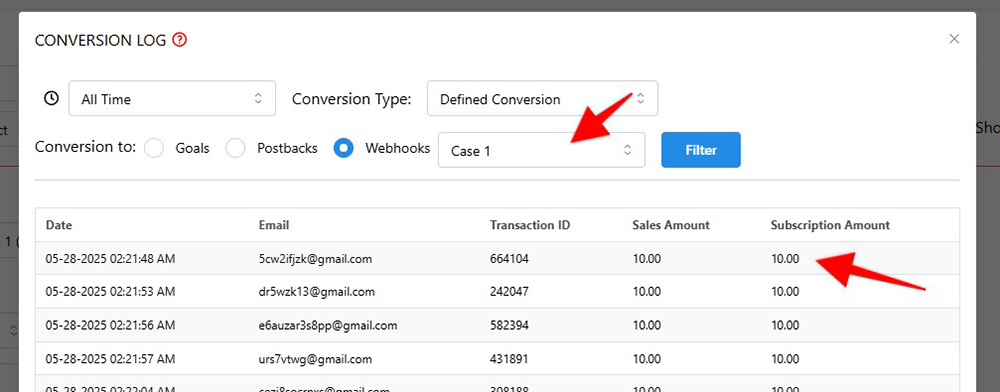
Some payment processors and carts send information if a purchase is a subscription or a single purchase.
In these cases, in the test and campaign logs, we will see stats as follows:
A lot of payment processors and carts don't send information if a purchase is a subscription or a single purchase.
In this case, the user can manually mark certain sales as a subscription in the webhook setup.
In the Settings page > Payment Processing and Carts > Processors that don't send subscription data will have an option titled "Show as a subscription" (NOTE: this option shows only for carts that don't send subscription data. If you don't see this option for your cart, it means it sends the subscription data automatically!)
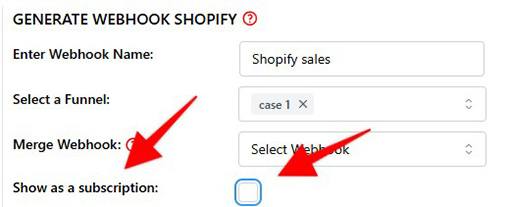
To enable manual subscription setting, click on the checkbox shown above. After the checkbox is checked, a "Select a Recurring Duration" dropdown will appear. Here, we select the date range we want the same email purchases to be considered as a subscription:
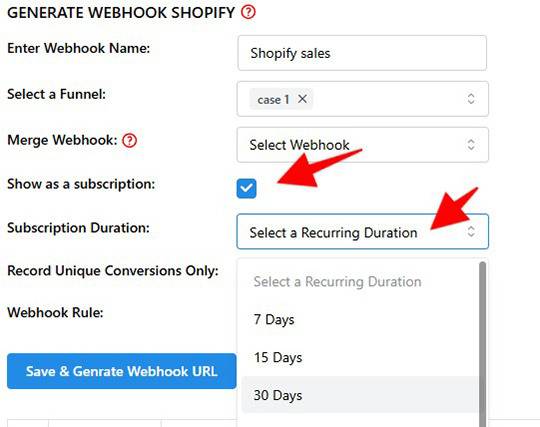
In other words, if we select 30 Days as the duration, if a customer with the same email purchases twice within 30 days, it will be considered as a subscription.
NOTE: This setting doesn't apply backwards. Meaning, if the webhook sent data for the past 3 months, but we checked the "Show as a subscription" setting today, it will NOT mark past purchases from the same email as a subscription.
However, the user can manually set past purchases as a subscription.
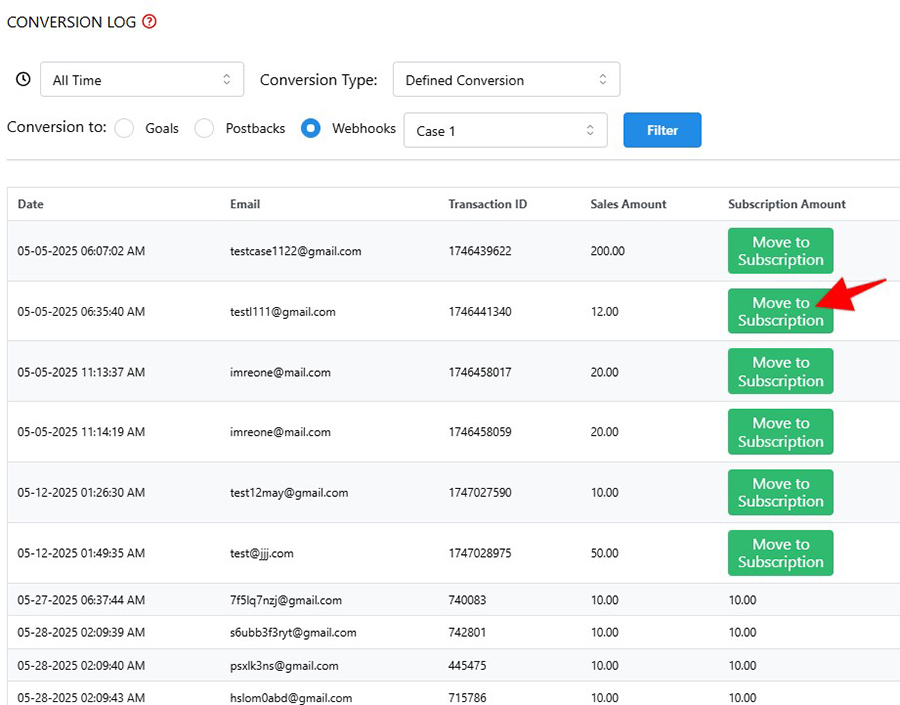
In the test and campaign logs, in the Subscription amount column, we will see a "Move to subscription" button for past purchases. By clicking this button, the user can manually move a past purchase to subscriptions.
Every future purchase from an email that is moved to a subscription, and that matches the set date range criteria, will be considered as a subscription purchase.