 Help Center
Help Center
Help Center
If your Shopping Cart or Processor sends the main sale webhook notification separately than your upsell transactions this can lead to what "may seem" as an over-reporting of conversions.
There is an easy fix:
- Go to the Setings > Payment Processing and Carts.
- Select your cart or processor the webhook is set up in.
- Select the webhook in question and click the Edit icon:

- Switch the "Record Unique Conversions Only" switch ON:
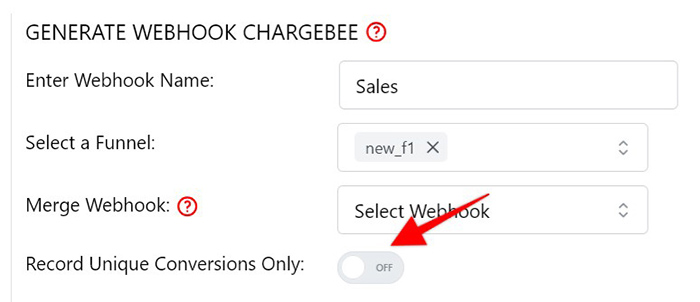
- The switch will turn Blue, indicating it is ON, when done, hit Save & Generate Webhook URL:
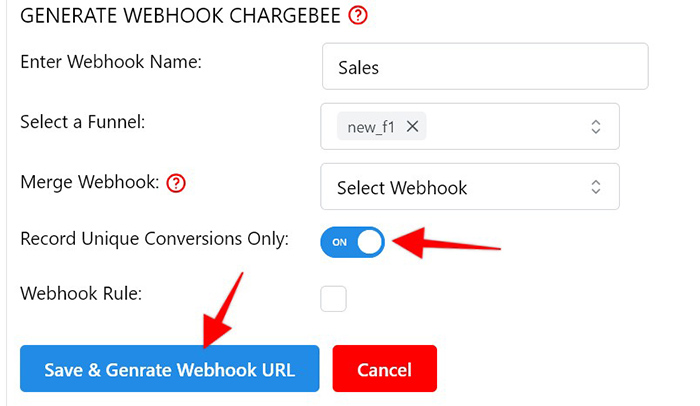
This will ensure that only one unique conversion is recorded per customer while properly adding and recording the revenue from all main sales and upsells moving forward.
Note: This setting will only record unique conversions moving forward and not retroactively.