 Help Center
Help Center
Help Center
Goal:
These instructions will show you how to use more than 1 webhook ( if your cart or processor allow it) to track upsell revenue separately from initial order revenue or to track the revenue from 2 paths in your funnel separately.
How a webhook works:
A webhook is a server to server communication which of course is always going to be more accurate than just tracking using a pixel alone.
Note: Visiopt's Smart Code uses Lossless tracking technology. This is 4 layers of advanced tracking. This means that even if cookies are cleared or in many cases even if a different device is used, Visiopt's Smart Code will continue to accurately track. Very advanced and accurate tracking.
With that said, using a webhook is not needed but recommended because it adds an additional layer of accuracy, conversions are coordinating directly with your cart, CRM or processor and you can track test results and campaigns using accurate revenue data.
Simple instructions for adding webhooks are provided HERE.
Choosing pages to connect to a webhook:
If using a single webhook, this is easy. Simply set up one webhook, and it will record all sales.
If you want to track upsales separately from main sales, you will have to create two separate webhooks, one for teh main sale, and one for the upsale.
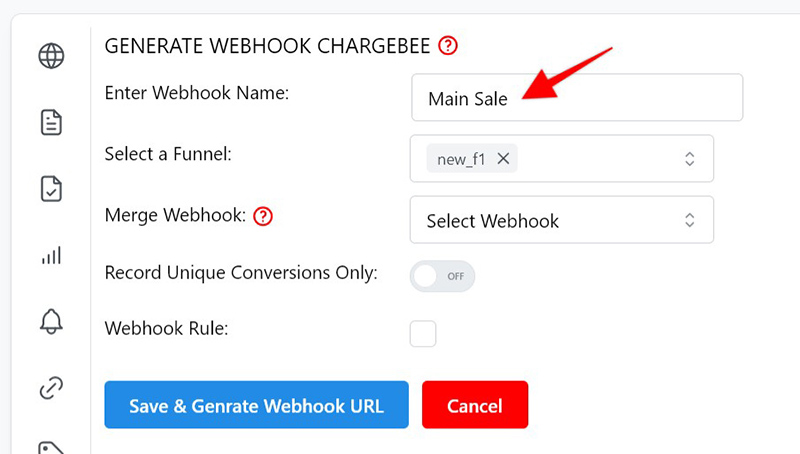
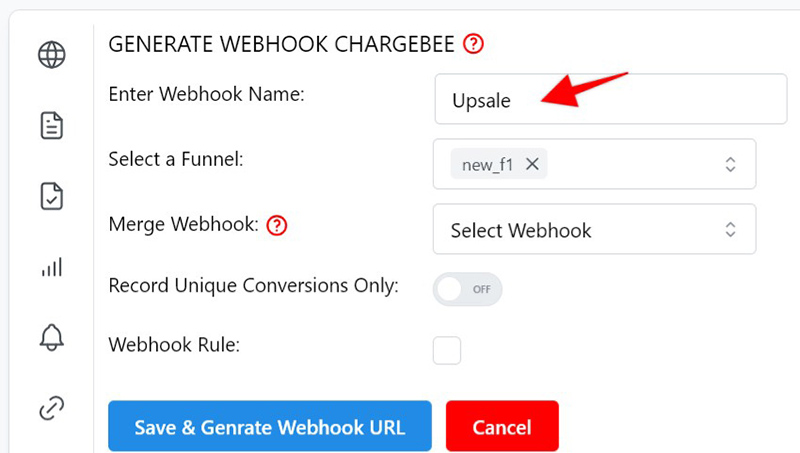
To see main sale stats, select Main Sals from the webhook dropdown in yoru test or campaign, to see upsale stas, select Upsale from the webhook dropdown.
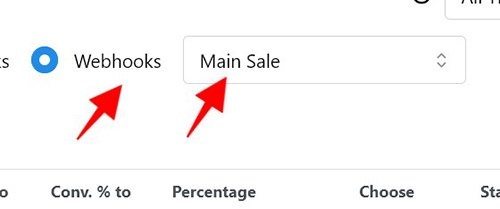
NOTE: Not all carts and payment processors provide option to send main sale and upsale data separately!